What is Cloud Computing?

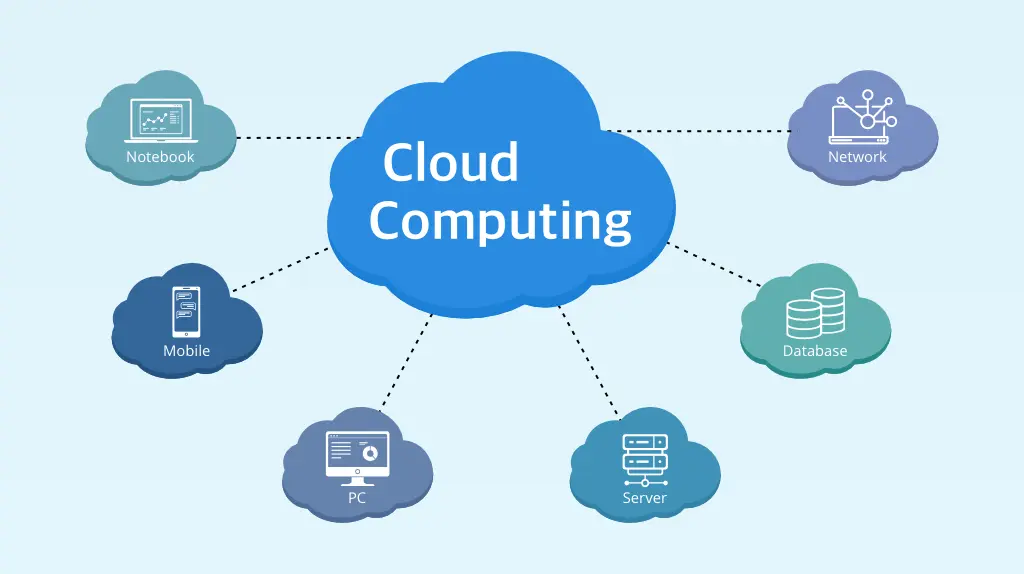
Cloud computing refers broadly to delivering computing services (servers, storage, databases, networking, software, analytics, etc.) over the Internet (“the cloud”) rather than having local hardware and software on-site. Using cloud resources lets you scale up or down dynamically, pay for what you use, and offload much of the infrastructure management to a third-party provider.
Some key advantages:
- Rapid provisioning: spin up servers/resources quickly.
- Scalability and elasticity: grow/shrink based on demand.
- Cost effectiveness: pay-as-you-go instead of heavy upfront investments.
- Reduced management overhead: the provider handles much of the infrastructure.
There are also considerations: security, compliance, vendor lock-in, performance/latency, data locality, etc.
Types of Cloud & Service Models
Cloud computing can be categorized along two axes: deployment models and service models. Here we’ll focus mostly on the service models (IaaS, PaaS, SaaS) since they’re fundamental to how you consume cloud services.
Service Models: IaaS, PaaS, SaaS
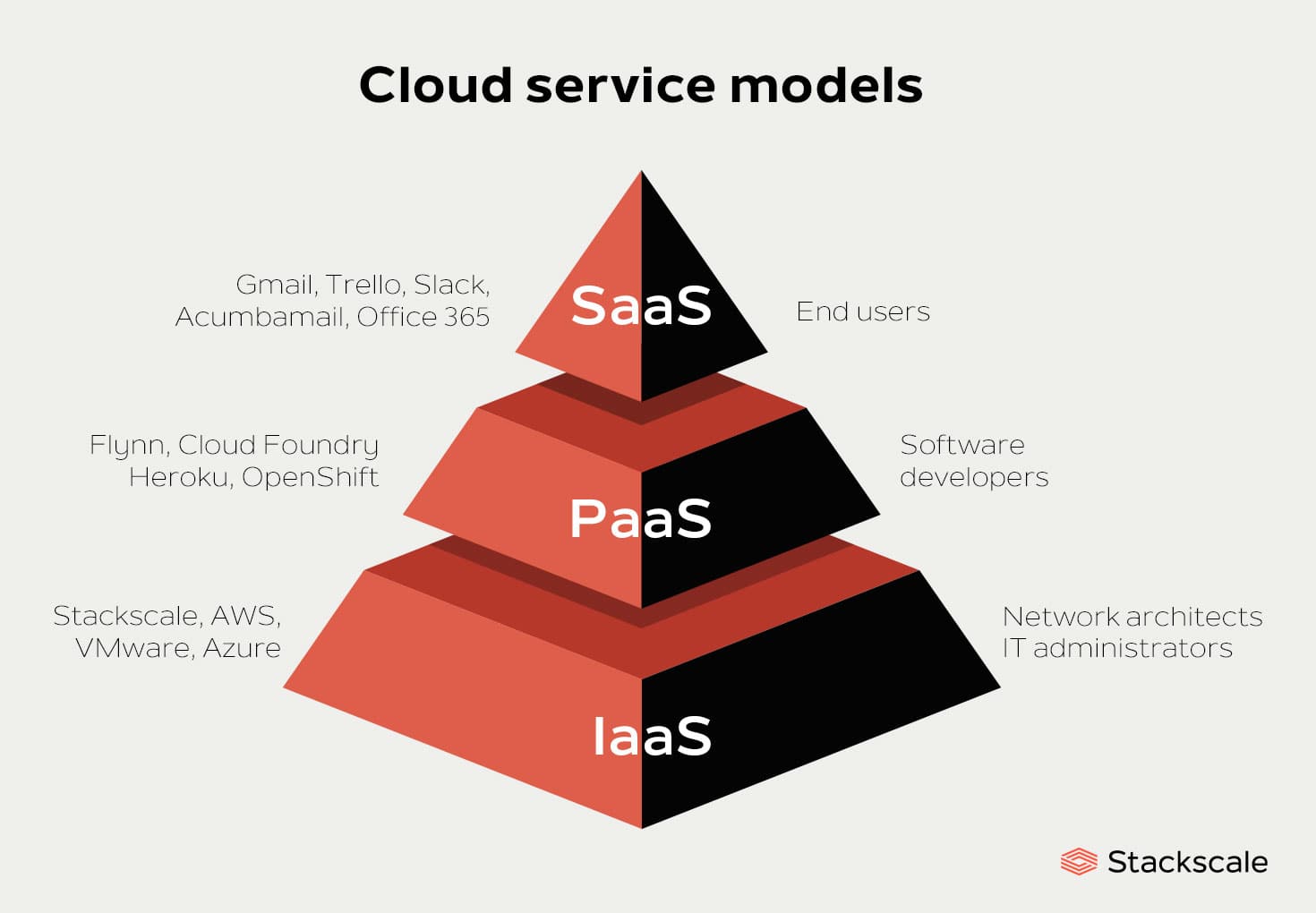
Here’s how to understand each:
1. Infrastructure as a Service (IaaS)
In IaaS, the cloud provider delivers virtualised computing infrastructure — e.g., virtual machines, storage, networks, and basic infrastructure building blocks. You as the customer are responsible for installing and managing the operating system, middleware, applications and data. The provider handles the physical infrastructure, virtualization, networking, storage.
Typical use-cases
- Startups or businesses that want maximum control and flexibility, running custom software, but don’t want to manage physical hardware.
- Running test/dev environments that can scale up/down quickly.
- Hosting legacy apps that require full control of OS and environment.
Examples
- Virtual servers you rent on demand (e.g., from AWS EC2, Linode, Azure VMs).
- Storage volumes, network virtualisation, etc.
- In blog form: Think of spinning up a virtual machine in minutes, managing it as you would your on-premises server.
2. Platform as a Service (PaaS)
With PaaS, the provider supplies not only the infrastructure but also the platform layer — e.g., runtime, middleware, development tools, database management, etc. You focus on your application code and data, while the provider manages the platform underneath.
Typical use-cases
- Developers building web or mobile apps who prefer not to manage OS and middleware.
- Collaborative development teams needing integrated tools for testing/deployment.
- Rapid application development, with infrastructure concerns abstracted away.
Examples
- Heroku, Google App Engine, AWS Elastic Beanstalk.
3. Software as a Service (SaaS)
In SaaS, the provider delivers complete software applications (via the cloud) which you access typically via a web browser or thin client. You don’t manage or maintain the infrastructure, platform, or even the application — you simply use it.
Typical use-cases
- End-users needing productivity software, collaboration tools, CRM systems etc.
- Organisations wanting fast rollout of software without installation/maintenance overhead.
- When software updates, security, availability are handled by provider.
Examples
- Google Workspace, Salesforce, Microsoft 365, Zoom.
How They Compare / Which to Use
- On the spectrum of control: IaaS gives you the most control but also the most responsibility; PaaS hands off more infrastructure responsibility; SaaS gives you minimal control but maximum convenience.
- Decision factors:
- How much control do you need over OS, middleware?
- Do you want to manage infrastructure or focus purely on apps/data?
- What is your development model and skill level?
- Cost implications, scalability, time-to-value.
- Many organisations use a mix of these models — e.g., SaaS for email/CRM, PaaS for new app development, IaaS for custom workloads.
Deployment Models (brief mention)
While service models describe what you’re consuming, deployment models describe how the cloud is deployed:
- Public cloud – services delivered over the public internet and shared infrastructure.
- Private cloud – cloud infrastructure operated solely for one organisation (on-premises or hosted).
- Hybrid cloud – combination of on-premises/private cloud with public cloud resources.
- Multi-cloud – use of multiple cloud providers/public clouds.
How to Spin Up a Cloud Server with Linode
Since you’re working on a digital signage server project, it might be helpful to walk through how you can provision a cloud server (VM) on Linode and get started. I’ll assume you have a Linode account (if not, you’ll need to sign up and set payment method). The steps here are generic and may vary slightly based on UI changes.
Step-By-Step
- Log in to Linode Cloud Manager
Visit Linode’s website, sign in to your account. - Create a new Linode instance (VM)
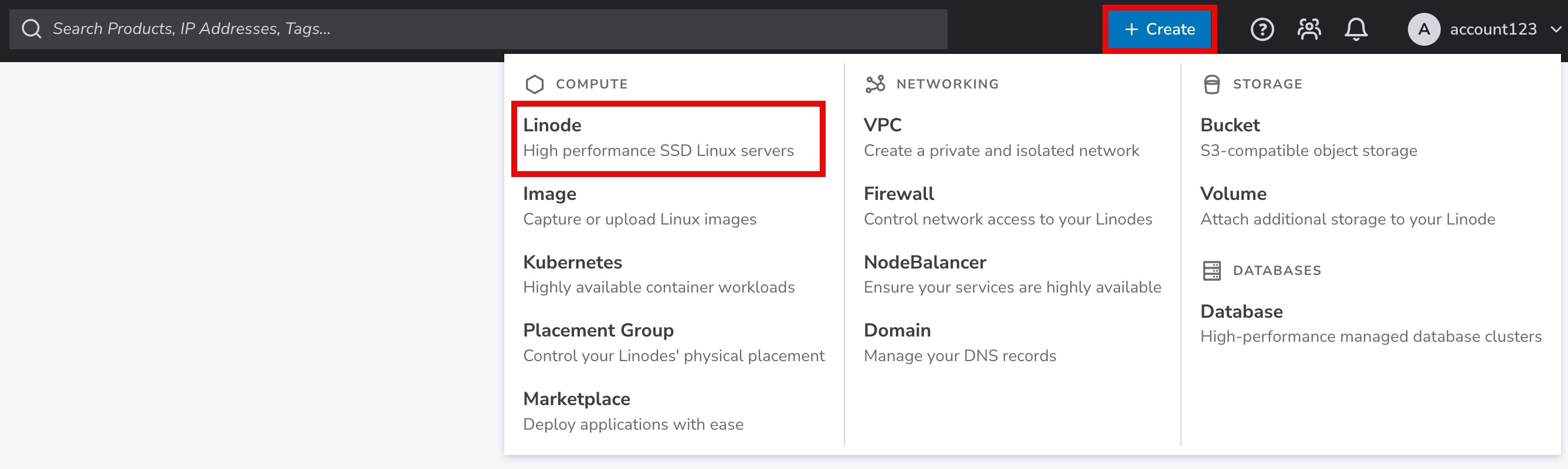
- Click the “Create” or “Add Linode” button (or similar in UI).
- Choose the Linux distribution/image you want (e.g., Ubuntu, Debian, CentOS). For a digital signage server you might pick Ubuntu LTS.
- Choose the data center region (pick one geographically closer to your target audience for lower latency).
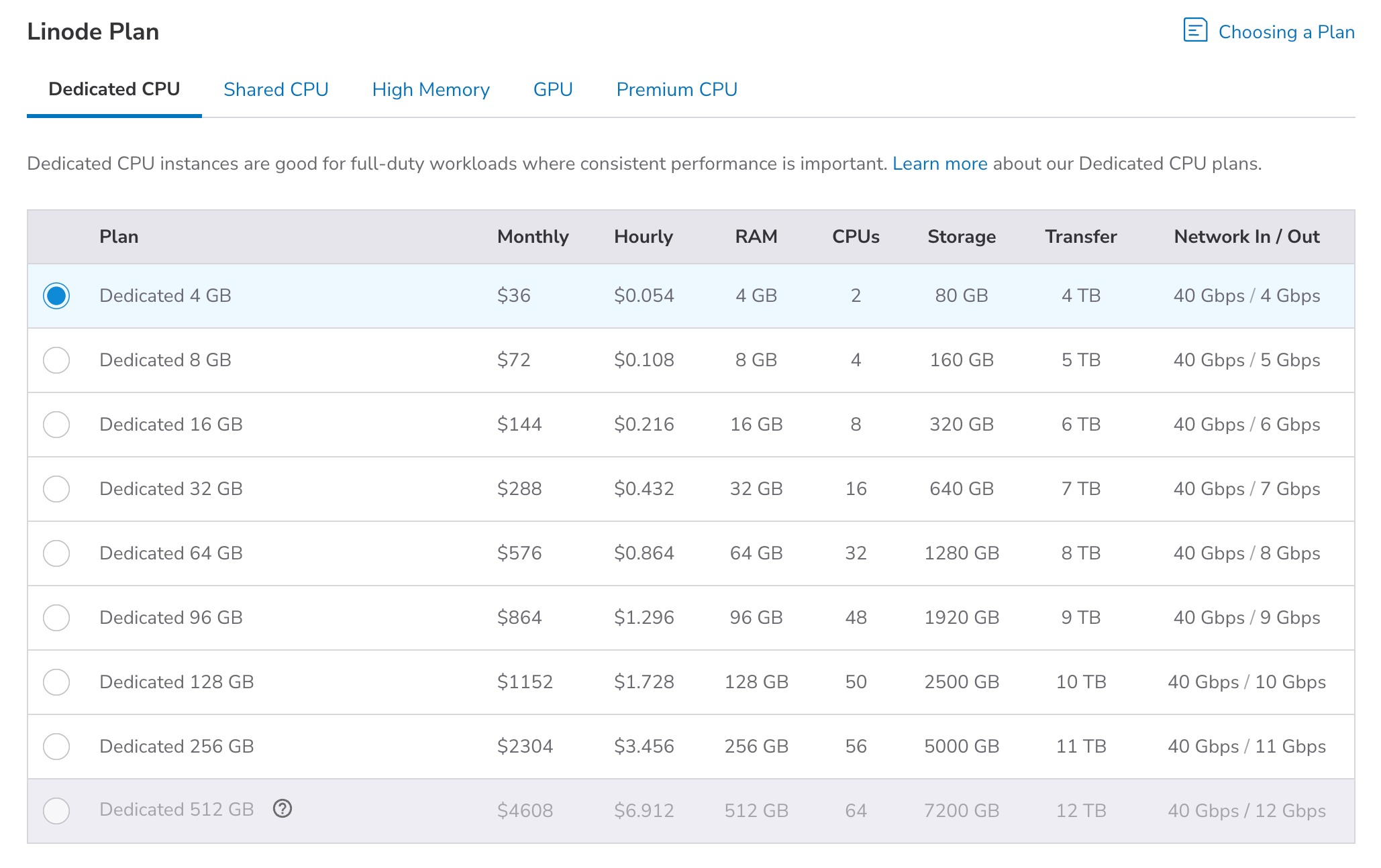
- Select a plan size (RAM, CPU, storage) based on your needs (for signage maybe modest CPU/RAM unless heavy video processing).
- Set a label/name for your Linode instance and optionally add tags.
- Set the root password (or enable SSH key authentication) — ensure it’s secure.
- Optionally enable backups/private IPs if you plan for redundancy, multi-node setups.
- Launch/create the instance — provisioning typically takes a few minutes.
- Access your new Linode server
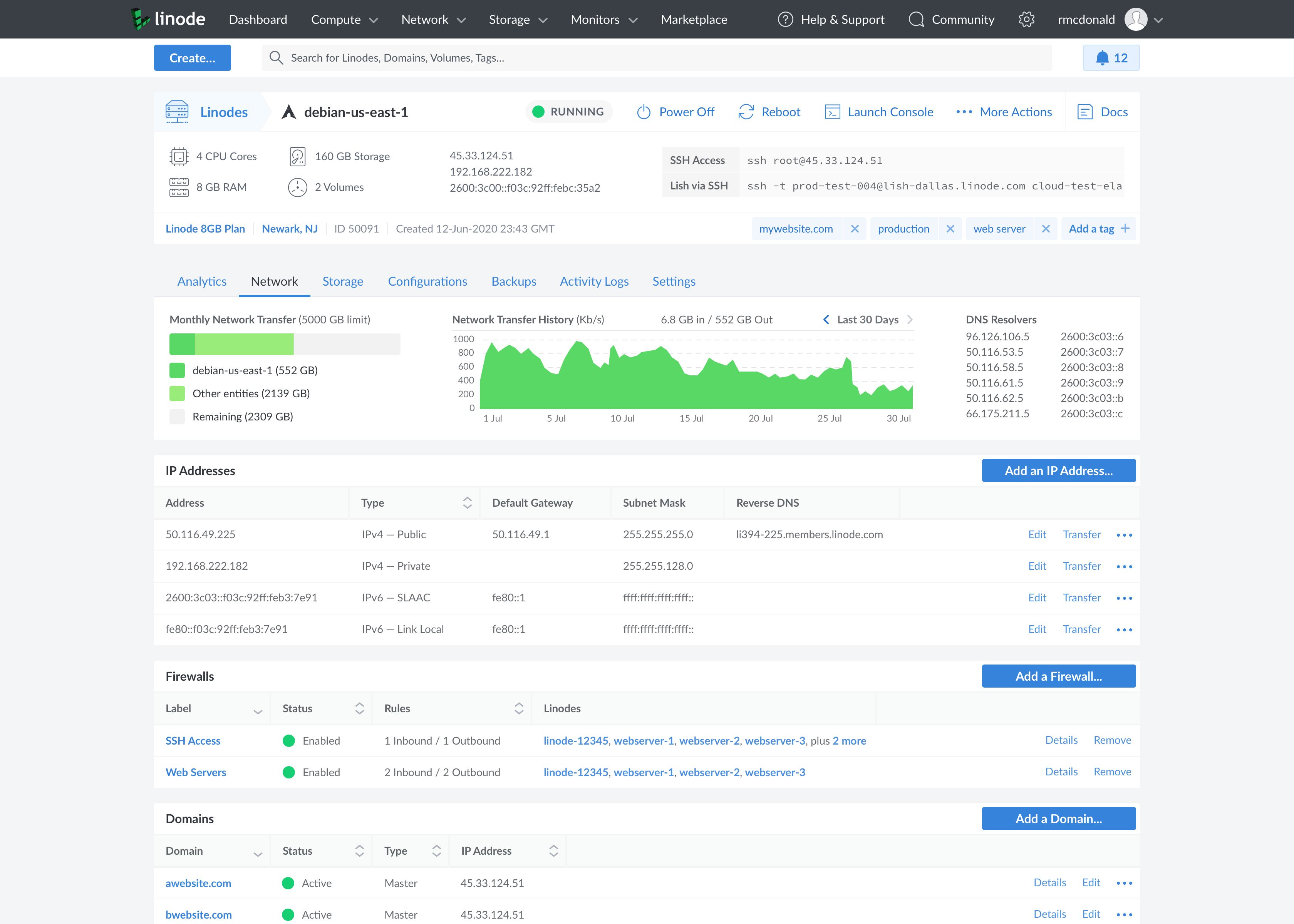
- Once the instance is up, you’ll have its public IP address. Under Linode Cloud Manager → “Access” or “Networking”.
- Connect via SSH from your local terminal:ssh root@your_linode_ip
- If asked about authenticity, type “yes” and proceed. Then enter your password (or private key passphrase).
- You can also use the built-in console (LISH) from Linode’s UI if needed.
- Initial configuration & secure your server
After logging in, some recommended steps:- Update OS packages (
apt update && apt upgradeon Ubuntu/Debian). - Add a non-root user with sudo privileges, disable root SSH login if desired.
- Set up a firewall (e.g.,
ufw,iptables) to allow only required ports (e.g., HTTP/HTTPS, SSH). - Configure SSH keys for authentication instead of password.
- Set up automatic security updates (optional) and fail2ban / intrusion prevention.
- If you’re using this server for your digital signage stack, install required software (web server, signage software, media players, database, etc.).
- Linode has a guide for using cloud-init to automate server configuration at creation time (very helpful for reproducible environments)
- Update OS packages (
- Deploy your application
- With the server secured and base OS ready, you can deploy your signage server software (e.g., your digital signage server).
- Set up web server (Nginx/Apache), database (MySQL/PostgreSQL), any necessary frameworks.
- Configure domain DNS pointing to your Linode IP (Linode’s “Domains” manager can help if you manage DNS there)
- Test and monitor the server, set up backups, consider scaling (vertical/horizontal) depending on load.
- Maintenance & scaling
- Monitor resource usage (CPU/RAM/disk/network).
- If demand grows, you can upgrade your Linode plan or add additional nodes/load-balancers.
- Ensure backups are working regularly.
- Keep OS and applications patched.
- For higher availability, consider using multiple regions or nodes.
Key Take-aways
- Cloud computing provides flexible, scalable resources delivered over the Internet — freeing you from many traditional infrastructure burdens.
- The major service models are:
- IaaS – you manage the OS/applications; provider supplies the infrastructure.
- PaaS – you manage your application code/data; provider handles the platform.
- SaaS – you simply use the application; provider handles everything else.
- Choose the model based on your team’s skills, control requirements, cost-sensitivity, and speed to deployment.
- Using Linode (or any IaaS provider) you can quickly spin up a server: select OS, region, size; deploy; SSH in; configure; launch your applications.
- For your digital signage server build, starting with IaaS on Linode gives you full control and low cost; as you scale you can introduce higher abstraction layers (PaaS/managed services) if desired.
Thank you so much for taking the time to read my blog post! Your support and engagement truly mean a lot and inspire me to keep creating and sharing more valuable content. If you enjoyed this post, I’d love to hear your thoughts—feel free to leave a comment in the box below and join the conversation. And if you’d like to stay updated with the latest posts, tips, and insights, don’t forget to subscribe to my newsletter. By joining, you’ll be the first to know when new content is published, so you never miss an update.
A national team shirt can become part of how supporters remember a tournament when collectors use kit details to place a team in a particular period. Conversations about player version and fan version differences help supporters choose between a modern look and a more nostalgic style. For fans weighing fit, fabric, and team identity, how to choose football shirts remains part of the discussion around teams, seasons, and supporter culture. That perspective connects practical details with the emotional side of following a team.