Virtual Machine vs Linux Container vs Docker Container.

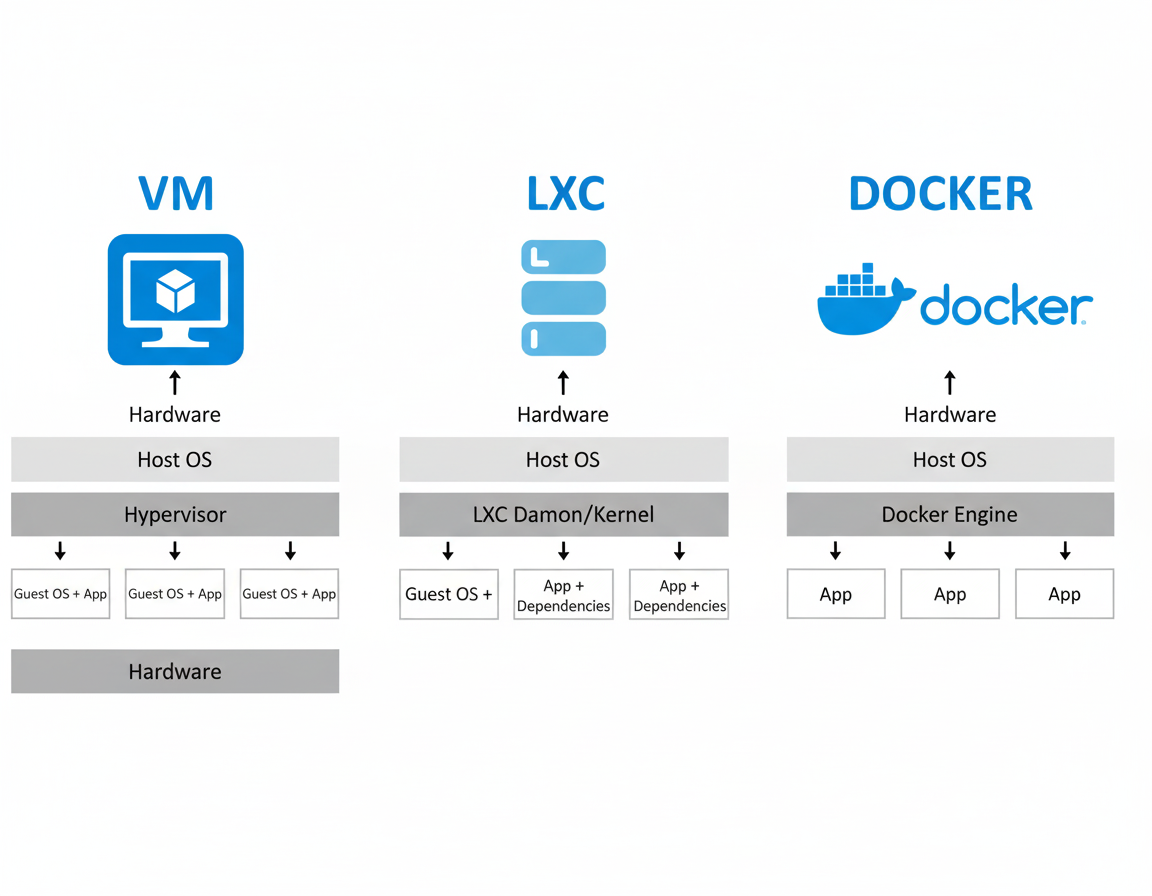
When it comes to modern application deployment and server infrastructure, Virtual Machines (VMs), Linux Containers (LXC), and Docker Containers are three major technologies that often get compared. While they may look similar at a glance, each serves a unique purpose, performs differently, and fits different use cases in IT environments, home labs, and enterprise systems.
This blog breaks down what they are, how they differ, and when to use each one.
Table of Contents
- What is a Virtual Machine?
- What is a Linux Container (LXC)?
- What is Docker?
- VM vs LXC vs Docker — Key Differences
- Performance Comparison
- Which One Should You Use?
- Final Thoughts
1. What is a Virtual Machine?
A Virtual Machine (VM) is a fully isolated environment that runs on top of a hypervisor such as VMware, Proxmox, Hyper-V, or VirtualBox. Each VM has:
- Its own Operating System (Windows/Linux/BSD)
- Its own Kernel
- Virtualized hardware (CPU, RAM, Storage, NIC)
Essentially, you are running a computer inside another computer.
Advantages
- Fully isolated and very secure
- Can run any OS
- Best for traditional apps and legacy systems
- Stable and well-established technology
Disadvantages
- Heavy on system resources
- Slower boot time
- Requires more storage (full OS images)
Best For: Windows Servers, security isolation, enterprise workloads, running mixed OS environments.
 Sudeep Shrestha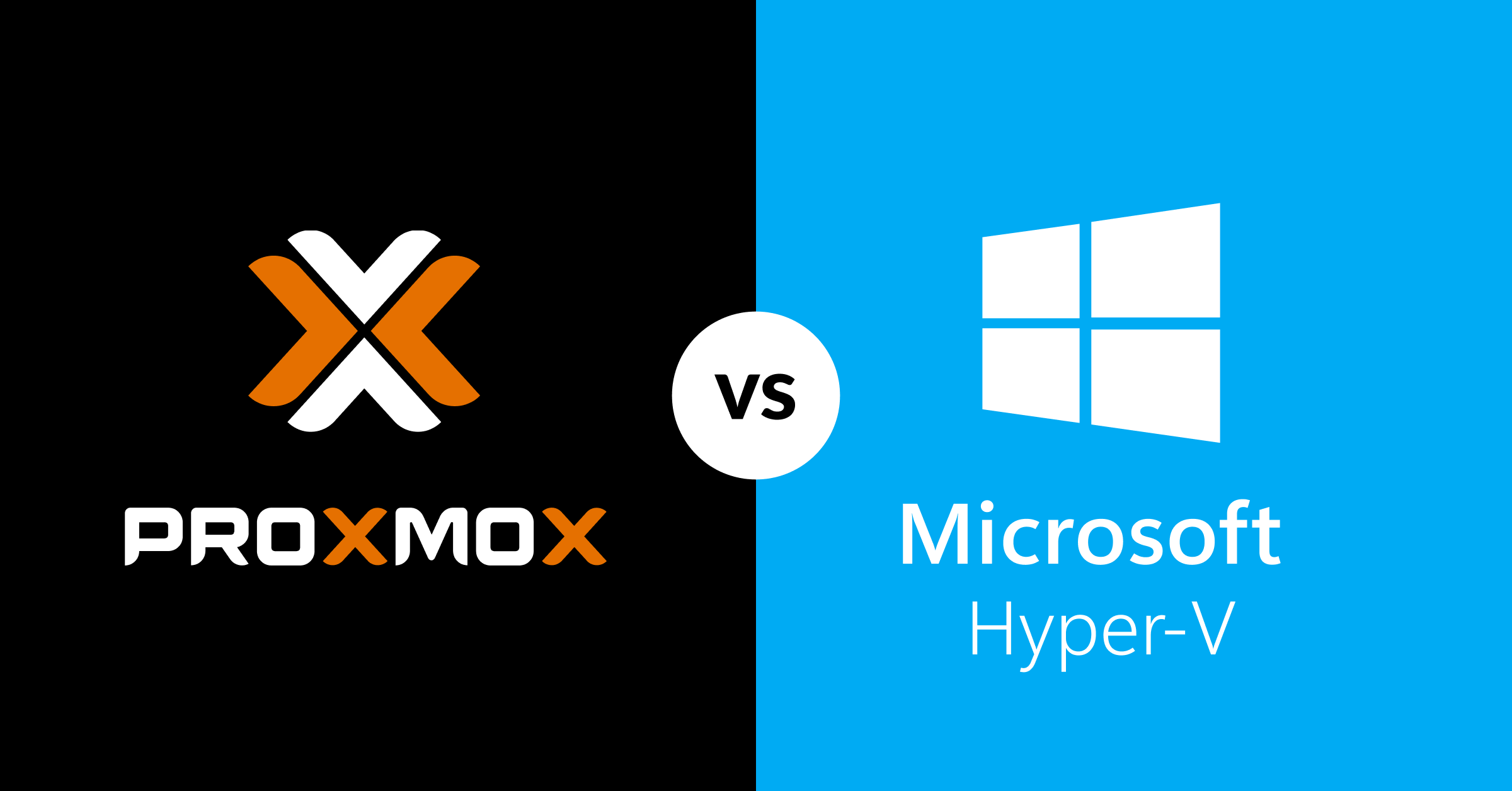
2. What is a Linux Container (LXC)?

Linux Containers (LXC) are lightweight virtual environments that share the host Linux kernel, but still act like individual OS instances. They are like “light VMs” without the heavy hypervisor.
Advantages
- Lightweight, faster boot than VMs
- Can run multiple Linux “OS environments” with low RAM and CPU usage
- Perfect for hosting applications on Proxmox, OpenVZ, or bare-metal Linux
Disadvantages
- Can only run Linux-based systems
- Less isolated than VMs
Best For: Lightweight server environments, self-hosted apps (Plex, Home Assistant, Pi-hole), lab environments.
3. What is Docker?

Docker is also a container technology, but it is more application-focused. Instead of running a full OS instance, Docker packages an app and all its dependencies into an image, then runs it as a container.
Docker is designed for:
- Microservices
- Portability
- Fast deployment and scaling
- DevOps automation
Advantages
- Extremely lightweight
- Starts in seconds
- Perfect for microservices and modern apps
- Easy to deploy, update, and scale
Disadvantages
- Depends on a container engine (Docker)
- Not ideal for GUI-heavy or full OS environments
- Shares host kernel, so isolation isn’t as strong as a VM
Best For: Web apps, APIs, DevOps pipelines, CI/CD, scalable microservices.
4. VM vs LXC vs Docker — Side-by-Side Comparison
| Feature | Virtual Machine | Linux Container (LXC) | Docker Container |
|---|---|---|---|
| Isolation | Strong (full OS) | Medium | Light |
| OS Support | Any OS (Windows/Linux) | Linux only | Linux (app-level) |
| Boot Time | Minutes | Seconds | Instant |
| Resource Usage | Heavy | Light | Very light |
| Use Case | Full OS and legacy apps | Lightweight Linux environments | Apps & microservices |
| Security | Strongest | Medium | Good (less than VM) |
5. Performance Comparison
| Metric | VM | LXC | Docker |
|---|---|---|---|
| CPU Efficiency | ⭐⭐ | ⭐⭐⭐⭐ | ⭐⭐⭐⭐⭐ |
| RAM Usage | High | Low | Very Low |
| Storage Footprint | Large | Small | Very Small |
| Scalability | Medium | High | Very High |
6. Which One Should You Use?
| Scenario | Best Choice |
|---|---|
| Need to run Windows or multiple OSes | Virtual Machine |
| Want lightweight Linux OS environments | Linux Container (LXC) |
| Deploying apps, microservices, or DevOps workflow | Docker |
| Home lab + self-hosting | LXC or Docker (or both) |
| Maximum security and isolation | VM |
Final Thoughts
VMs, LXC, and Docker are not competitors — they are tools for different jobs. In fact, many modern environments use all three together. For example, in Proxmox you might run:
- 1 Windows VM (Active Directory or Blue Iris)
- 3–4 LXC containers (Pi-hole, Unifi Controller, Nextcloud)
- Docker inside an LXC or VM for multiple app containers
This layered approach gives the best balance of performance, flexibility, and isolation.
Thank you so much for taking the time to read my blog post! Your support and engagement truly mean a lot and inspire me to keep creating and sharing more valuable content. If you enjoyed this post, I’d love to hear your thoughts—feel free to leave a comment in the box below and join the conversation. And if you’d like to stay updated with the latest posts, tips, and insights, don’t forget to subscribe to my newsletter. By joining, you’ll be the first to know when new content is published, so you never miss an update.
Football fans often treat kit design as part of the story around a team as collections often grow around teams, eras, and memorable fixtures. Player issue details allow a paragraph to connect practical choice with football identity. For collectors looking at classic seasons, Barcelona home shirt is one way to link football history with the practical choice of a shirt. When names and numbers matter, the discussion stays close to teams, supporters, and shared history.