My Must-Have Home Lab Applications — Tools I Can’t Run Without


Running a home lab is one of the best ways to learn, experiment, and manage your own IT environment. Over the years, I’ve built and refined my setup with applications that I now simply can’t live without. Each one serves a critical role — from virtualization and networking to monitoring and media management.
Here’s a look at my essential home lab stack and why each tool is a must-have.
1. Proxmox VE — The Heart of My Home Lab
Everything in my home lab runs on Proxmox Virtual Environment, a powerful and open-source hypervisor that lets me manage both virtual machines and containers.
I love Proxmox because it gives me flexibility, snapshot capability, clustering, and an easy web interface — all for free. It’s the brain of my setup that powers everything else running underneath.
 Sudeep Shrestha
2. Omada SDN — My Network Backbone
For networking, I rely entirely on TP-Link Omada SDN. It manages all my switches, access points, and gateways from a single dashboard.
Omada keeps my network organized, secure, and optimized with VLANs, guest isolation, and traffic control. My entire home and lab network backbone runs through this system.
 Sudeep Shrestha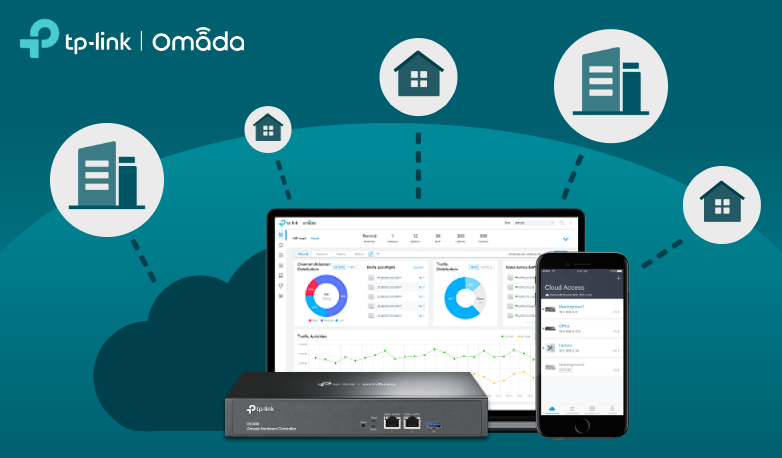
3. AdGuard Home — My DNS and Privacy Shield
Instead of using ISP or public DNS, I run AdGuard Home to manage all my DNS queries.
It not only resolves addresses locally but also blocks ads, trackers, and malicious domains. It’s a must-have for anyone who values privacy and speed on their network.
 Sudeep Shrestha
4. NGINX Proxy Manager — My Public Gateway
All my public-facing applications route through NGINX Proxy Manager.
It’s easy to set up, provides SSL certificates through Let’s Encrypt, and helps me control domain-based routing for my services. It’s my first line of defense and traffic controller for everything exposed to the internet.
 Sudeep Shrestha
5. Portainer — My Docker Control Center
Managing containers manually is no fun. That’s where Portainer comes in — it’s my go-to GUI for handling all Docker containers.
Deploying, monitoring, and updating containers becomes simple, and it integrates perfectly with my Proxmox-hosted servers.
 Sudeep Shrestha
6. Beszel & Uptime Kuma — My Eyes on the System
For monitoring my systems, I rely on Beszel and Uptime Kuma.
- Beszel gives me a beautiful real-time overview of my system’s performance and resource usage.
- Uptime Kuma alerts me immediately if any of my services go down.
Together, they ensure I always know what’s happening inside my home lab — 24/7.
 Sudeep Shrestha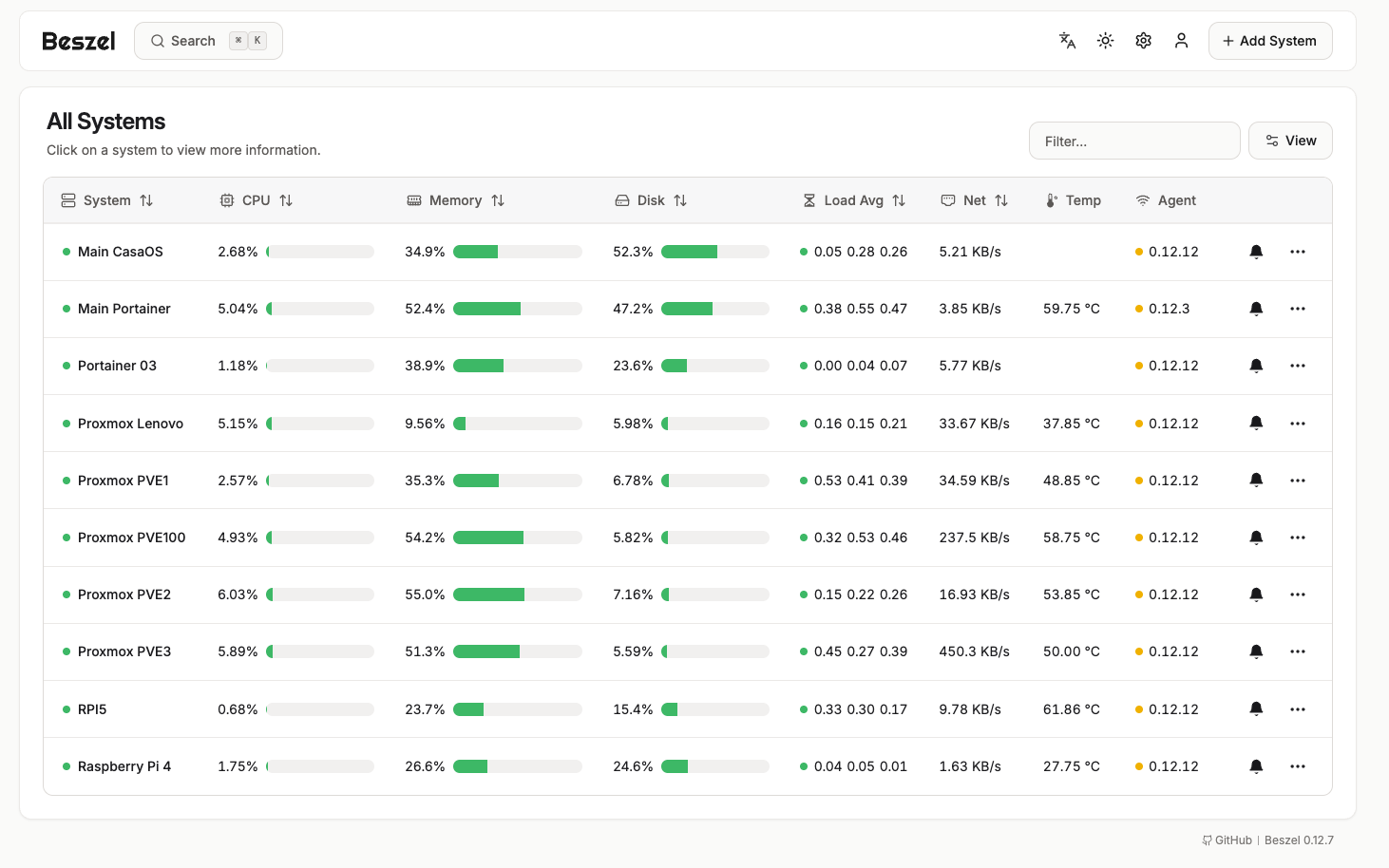
7. Dashy — My Home Lab Dashboard
Dashy serves as my central launchpad.
From one clean interface, I can access all my apps, dashboards, and services. It’s like the homepage for my home lab — fast, customizable, and a joy to use. With Dashy i don't have to remember IP address and port Number for all my application on my home lab.
8. Synology DSM — My Data Vault
My Synology NAS running DSM handles all my backups, file storage, and media organization.
DSM’s reliability and built-in tools like Hyper Backup and Snapshot Replication make it perfect for protecting my important data. Everything from VM backups to family photos lives safely here.
 Sudeep Shrestha
9. Plex & Jellyfin — My Media Powerhouses
For entertainment, I run both Plex and Jellyfin.
Plex handles remote streaming and sharing with family, while Jellyfin gives me full open-source control without any subscription fees. Together, they organize and stream all my movies, shows, and music.
 Sudeep Shrestha
Final Thoughts
Each of these applications plays a unique and critical role in my daily workflow. Whether it’s keeping my network secure, managing containers, or serving media, they all come together to form a reliable, powerful, and fully self-hosted home lab ecosystem.
If you’re thinking about building your own home lab, these tools are a fantastic place to start. Once you experience the control and flexibility of running your own infrastructure, there’s no going back!
Thank you so much for taking the time to read my post! Your support and engagement truly mean a lot and inspire me to keep creating and sharing more valuable content. If you enjoyed this post, I’d love to hear your thoughts—feel free to leave a comment in the box below and join the conversation. And if you’d like to stay updated with the latest posts, tips, and insights, don’t forget to subscribe to my newsletter. By joining, you’ll be the first to know when new content is published, so you never miss an update.
Supporters often connect a favourite team with the design worn during a memorable campaign as the design can recall players, cities, and moments that shaped a generation. National team shirts linked to Argentina often carry memories of summer tournaments and shared celebrations. For collectors looking at classic seasons, Argentina football shirt is a natural topic when the focus is on design, fit, and supporter meaning. In conversations about club identity, the link between design and identity remains clear.