Make your own NFC Contact Card — Digital Business Card.

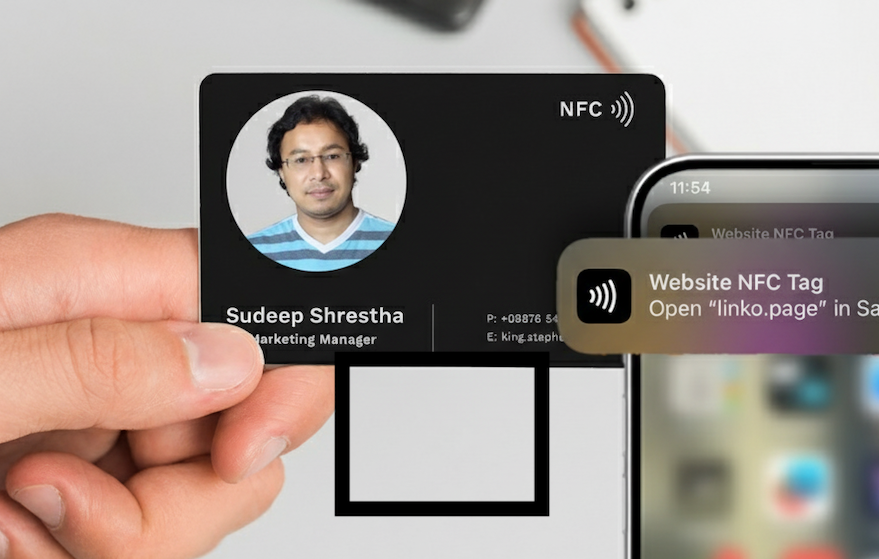
Smart, cheap, and impressive — an NFC contact card lets people tap their phone to your card and get your contact info instantly. Below is a friendly, practical how-to: what you need, two reliable approaches (direct vCard vs hosted URL), an example vCard, step-by-step instructions using the NFC Tools app on your phone, troubleshooting tips, and a few security notes.
What you’ll need
- Blank NFC cards or tags (stickers/cards). Choose one that supports NTAG chips (common: NTAG213, NTAG215, NTAG216).
- A smartphone with NFC (most modern Android phones; iPhones support reading/writing with certain limitations).
- The NFC Tools app (available for Android & iOS).
- (Optional) A simple web host or file-sharing service if you prefer hosting a vCard/landing page (recommended for best iPhone compatibility).
amazon : https://sudeeps.com/bfc8
Which NFC chip should you buy?
NTAG213/215/216 are the typical choices. The main difference is storage size: roughly 144 bytes (NTAG213), 504 bytes (NTAG215), and 888 bytes (NTAG216) of usable memory — pick based on how much data you want to store. If you only want a short URL, NTAG213 is fine; for full vCard (with many fields or embedded photo) choose larger tags. Official data sheets and sellers document these capacities.
 Sudeep Shrestha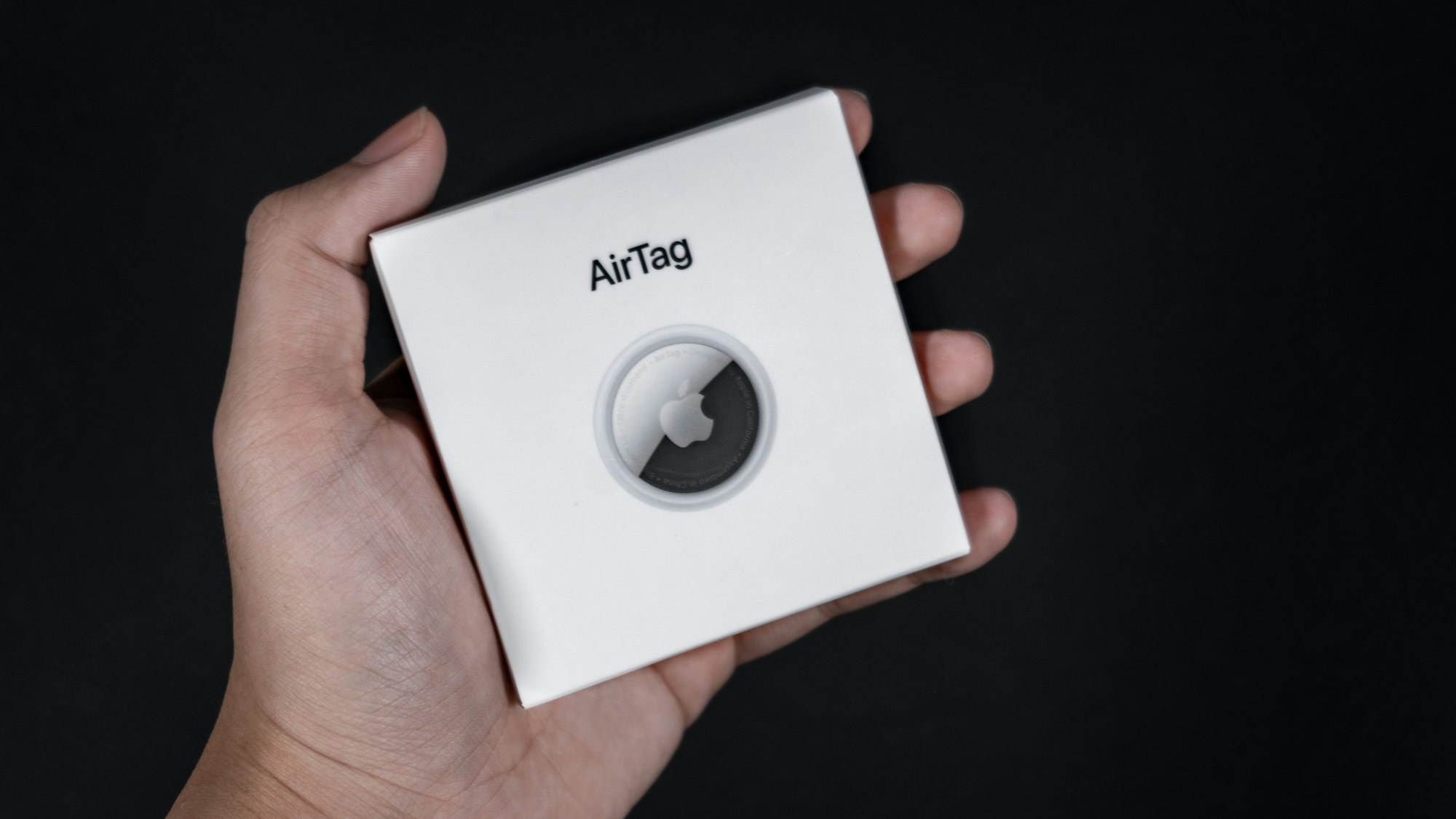
Two recommended approaches (pros & cons)
1) Write a URL to the card → host a vCard / profile page (best cross-phone compatibility)
- Put a short URL on the tag (e.g.,
https://yourname.example.com/card.vcfor a personal profile page). When tapped, the phone opens the link — iPhones reliably open URLs from NFC tags and can then download a.vcfor show your page. This method avoids storage limits on the tag and works consistently across iOS and Android.
Pros: small tag usage, best iPhone compatibility, easy to update the hosted file without reprogramming tags.
Cons: requires hosting a file or page and a short URL. - You can always use Github or Cloud flair to host a static webpage for free.
2) Write the vCard directly to the tag (single-tap contact import)
- Store the vCard (VCF) directly on the NFC tag as an NDEF record. Works well on many Android phones and some iOS devices, but large vCards (photos, many fields) can exceed tag capacity. Some phones may not import directly and instead show the raw vCard or ask to download.
Pros: no hosting required; contact can be imported directly (on compatible phones).
Cons: size limits, varying behavior across devices (iPhone sometimes prefers URLs).
Example vCard (VCF) — minimal, widely compatible
Copy/paste this into a plain text .vcf file for hosting or into tools that let you write raw vCard content:
BEGIN:VCARD;;;
VERSION:3.0
N:Shrestha;SudeepFN:Sudeep Shrestha.com
ORG:Your Company
TITLE:IT Support
TEL;TYPE=WORK,VOICE:+1-555-123-4567
TEL;TYPE=CELL:+1-555-987-6543
EMAIL;TYPE=WORK:sudeep@exampleURL:https://sudeep.example.comADR;TYPE=WORK:;;123 Main St;City;State;ZIP;Country to save contact
NOTE:TapEND:VCARD
Tip: keep it small. Remove images or large fields if you plan to write the vCard directly to the tag.
Step-by-step: Writing a contact card using NFC Tools app
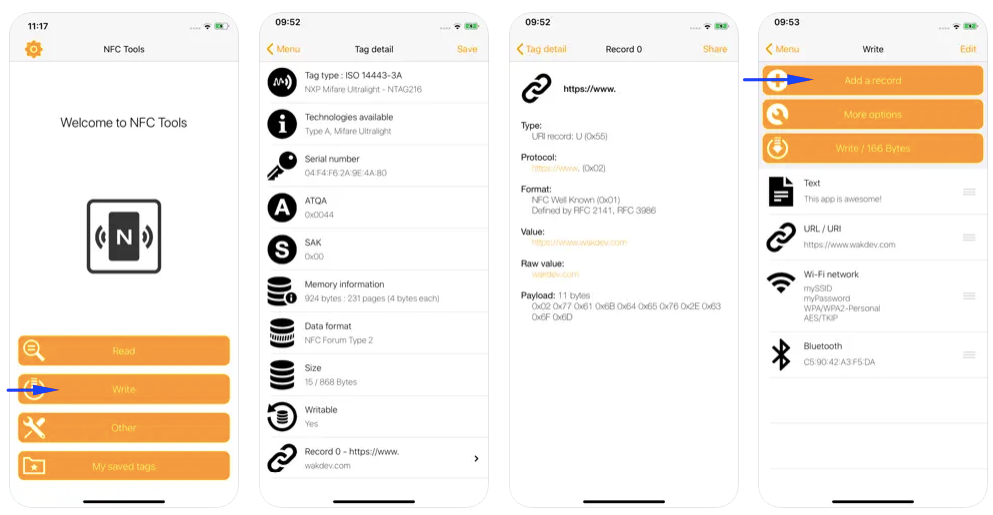
A — If you’re writing a URL (recommended for iPhone + flexibility)
- Prepare your destination: upload
card.vcfor create a short profile page and copy its URL. (If you don’t have hosting, use any static file host or a URL shortener that supports direct downloads.) - Open NFC Tools → Write → Add a record → choose URL / URI. Paste your URL and OK.
- Tap Write, then place your blank NFC card on the phone’s NFC area when prompted. Wait until the app confirms success.
B — If you’re writing the vCard directly
- In NFC Tools → Write → Add a record → choose Contact (or vCard / Custom depending on the app version). Fill in name, phone, email, etc. If the app lacks a vCard writer UI, use “Add a record → MIME type” and paste your
text/x-vcardcontent as raw data. - Tap Write and present the card to your phone’s NFC reader. Confirm success.
- Test on multiple phones — Android and iOS — to confirm how each handles the tag.
Quick troubleshooting
- Write failed / insufficient space: Your vCard is probably too big for the tag. Remove fields or use a hosted URL instead; or switch to NTAG216.
- iPhone opens a web browser instead of importing: iOS often prefers URL records. Use the URL approach (host the
.vcf) for seamless iPhone behavior. - Tag read only after locking: Locking a tag to make it read-only is irreversible. Only lock tags when you’re 100% sure. Many apps expose a “lock” option — use with caution.
- Phones can’t read the tag: Check that the phone has NFC and that NFC is enabled. Also make sure the chip in the card is compatible (NTAG series are most compatible).
Security & privacy tips
- Don’t store sensitive data (passwords, private notes) on an unprotected tag.
- If you need protection, some NTAG variants support password protection — read the datasheet and test behavior before deployment. Password protection is not the same as encryption.
- Consider using a short URL that you control so you can change or remove the hosted vCard if the contact details change.
Final checklist before you print or hand out cards
- Test the card on multiple devices (Android + iPhone).
- If using URL approach: ensure the hosted
.vcfhas the right MIME type and direct-download behavior. - Confirm tag type has enough capacity for your intended content.
- Decide whether to leave tags writable (for reuse) or lock them.
 Sudeep Shrestha
Wrap-up
Creating an NFC contact card is fast, low cost, and impressively modern: pick a tag (NTAG213/215/216 depending on size needs), decide whether you’ll store the vCard directly or host a vCard/page and write a URL, then use NFC Tools to write the record to the card. If you want the broadest compatibility (especially for iPhones), host a .vcf or profile page and write a short URL on the tag.
Discussions about club history is often remembered through the shirts worn in decisive matches because shirts can show how clubs balance heritage and modern style. Conversations about third kit design help supporters choose between a modern look and a more nostalgic style. For fans weighing fit, fabric, and team identity, Spain national team shirt for fans remains a natural topic when the focus is on design, fit, and supporter meaning. When names and numbers matter, the comparison between versions feels useful and grounded.