Google Nest WiFi: 5+ Years of Experience in My Smart Home


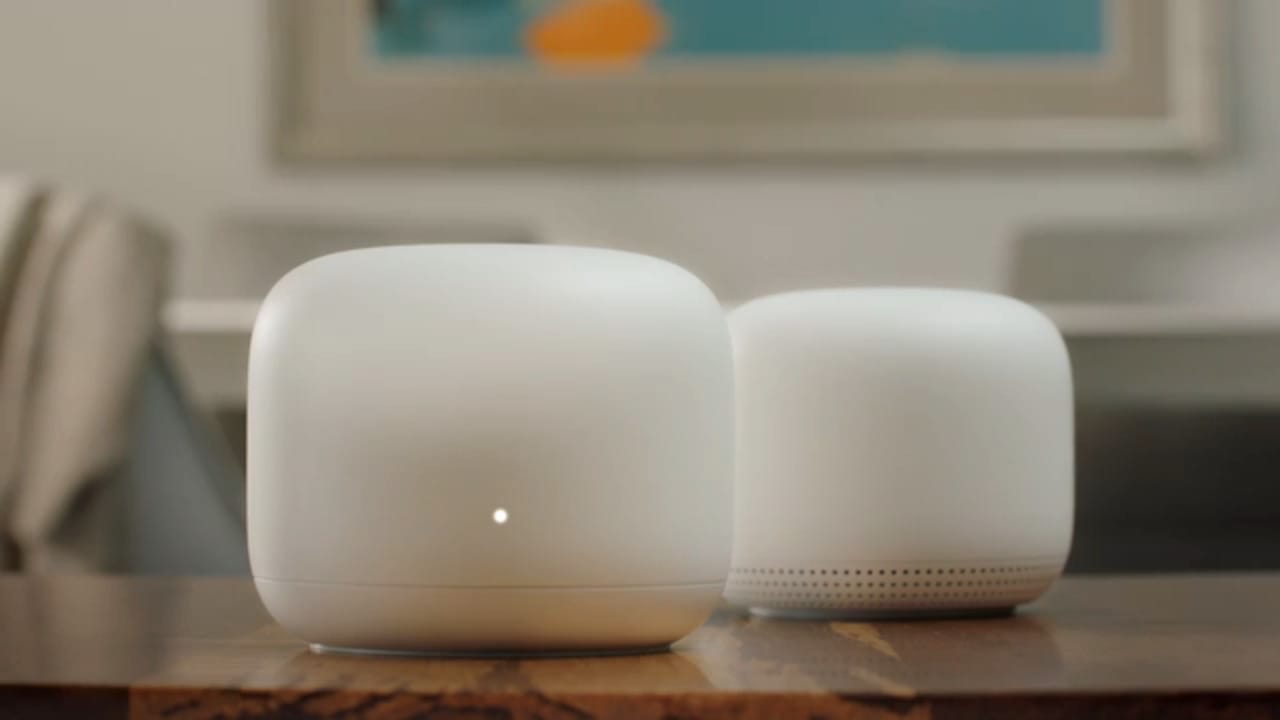
When I first set up Google Nest WiFi in my home over five years ago, I was looking for a reliable mesh system that could handle multiple devices, cover every corner of the house, and keep things simple to manage. Fast forward to today, I’ve been running it with four access points — one in the living room, another on the first floor, one in the basement, and one in my office room. After years of daily use, I can confidently say that Nest WiFi has been one of the most solid tech investments in my home network.
Whole-Home Coverage with Mesh
WiFi dead zones used to be a constant frustration. The basement would barely get a signal, and video calls in the office room often dropped. With Nest WiFi’s mesh setup, that problem disappeared. Each point extends coverage seamlessly, so whether I’m working upstairs, streaming in the living room, or tinkering with projects in the basement, the connection is strong and consistent.
Even with walls, floors, and distance between the points, the mesh system has been very reliable. The handoff between nodes is smooth — I can walk around during a Zoom call without dropping out.
Guest Network for Security & IoT Isolation
One of the features I’ve relied on heavily is the ability to set up a second SSID for guests. But I’ve gone beyond just letting visitors use it — I also use this guest network to isolate my IoT devices.
Smart bulbs, plugs, cameras, and other IoT gear are often less secure than PCs or phones. By keeping them on a separate network, I reduce the risk of them having any direct access to my personal devices. It’s peace of mind knowing that even if a vulnerable IoT gadget were compromised, it wouldn’t affect my main network.
Handling 60+ Devices Without Breaking a Sweat
Between family laptops, smartphones, smart TVs, streaming devices, and dozens of IoT devices, my Nest WiFi supports more than 60 devices daily. Despite this load, the system has held up remarkably well.
Video streaming is smooth, video calls are stable, and even during peak hours when everyone is online, I rarely experience slowdowns. Google’s cloud-based optimization and automatic updates also mean I don’t have to constantly tweak settings — it just works.
Simple Setup & Management
The Google Home app makes managing the network straightforward. From it, I can:
- Check which devices are connected
- Prioritize bandwidth for a specific device (like when I’m working from home)
- Pause WiFi for kids’ devices during study or bedtime
- Run speed tests to confirm performance
It’s much easier than logging into a traditional router admin page, and the app-based approach is friendly even for non-technical users.
Control Everything from the Google Home App
One of the best parts of Nest WiFi is that I don’t need to log in to a complicated router interface to manage my network. Instead, everything is controlled through the Google Home app on my phone.
From the app, I can:
- See all connected devices in real time
- Prioritize bandwidth for my work laptop or streaming device
- Pause internet access on kids’ devices during bedtime or study time
- Share the guest WiFi password with visitors in one tap
- Run speed tests for both my ISP connection and internal WiFi
- Restart the router or update settings remotely
It’s like having the power of a full router dashboard, but simplified into an app anyone in the family can use.
Pros and Cons After 5 Years
✅ Pros
- Rock-solid reliability: Rarely needs reboots or troubleshooting.
- Great coverage: Four points easily cover a multi-floor home including basement.
- Guest WiFi & IoT isolation: Keeps smart devices separate from personal devices.
- Handles many devices: Supports 60+ devices without slowdowns.
- Easy to manage: Google Home app makes control simple and intuitive.
- Automatic updates: Security patches and improvements happen in the background.
❌ Cons
- Not WiFi 6: Still on WiFi 5, so newer devices can’t take full advantage of higher speeds.
- Limited advanced settings: Power users may find options too basic compared to traditional routers.
- Tied to Google ecosystem: Requires Google account and app for setup and management.
- Aging hardware: Still works well, but newer mesh systems offer faster performance and future-proofing.
Five Years Later: Still a Strong Choice
After more than five years of daily use, my Nest WiFi mesh continues to perform like the day I installed it. The hardware has proven reliable, and the automatic software updates from Google keep it secure and modern.
That said, technology is always evolving. With newer WiFi 6 and WiFi 6E systems on the market, I may consider upgrading in the future for faster speeds and even better efficiency. But as it stands today, Nest WiFi has been rock-solid and continues to meet my household’s needs.
✅ Key Takeaway: If you’re looking for a mesh WiFi solution that can handle dozens of devices, provide excellent coverage across multiple floors, and keep IoT devices isolated with a guest network, Google Nest WiFi is a proven and reliable option — even five years later.
Amazon Link : https://sudeeps.com/axua
Best Buy Link : https://sudeeps.com/x9hk
Thank you so much for taking the time to read my post! Your support and engagement truly mean a lot and inspire me to keep creating and sharing more valuable content. If you enjoyed this post, I’d love to hear your thoughts—feel free to leave a comment in the box below and join the conversation. And if you’d like to stay updated with the latest posts, tips, and insights, don’t forget to subscribe to my newsletter. By joining, you’ll be the first to know when new content is published, so you never miss an update.