GL.iNet GL-MT3000 (Beryl AX) — The pocket travel router

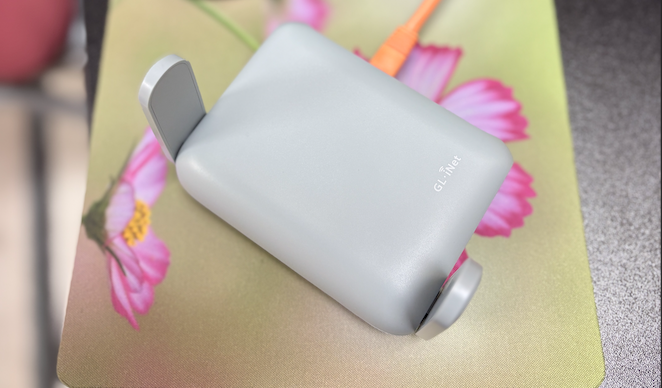
If you travel with a laptop, iPhone and other Tech Gadget , you know the pain: hotel Wi-Fi that blocks ports, flaky public networks, and juggling SSH keys, RDP, Plex, and remote Docker containers while you try to be productive. The GL.iNet GL-MT3000 (a.k.a. Beryl AX) has been a tiny life-saver for me — pocket-sized, fast enough, and built with VPN use cases in mind. Below I’ll cover what it is, the specs that matter, how I use it to get secure access to my home lab, and practical tips from my real-world experience.
What it is — quick snapshot
Beryl AX is a pocket-sized Wi-Fi 6 (AX3000) travel router with a surprisingly capable hardware stack for its size: dual-band Wi-Fi 6 radios, a 2.5 Gbps multi-gig WAN port and a 1 Gbps LAN port, USB-3.0 on board, and a MediaTek MT7981B (1.3 GHz dual-core) CPU. It ships with OpenVPN and WireGuard preinstalled so you can be secure right away.
Why those specs matter: the 2.5G WAN makes it useful when you’re tethering or connecting to a fast wired source, the CPU is beefy enough to handle reasonable VPN throughput, and WireGuard/OpenVPN presence out of the box means setup is often much quicker than rolling your own on a Pi.
Real-world numbers (what I measured and what the datasheet says)
According to GL.iNet’s datasheet the Beryl AX can run WireGuard at up to ~300 Mbps and OpenVPN at ~150 Mbps (real results vary based on encryption, server CPU, network latency). In my testing with a home WireGuard server, I consistently saw >150 Mbps on client devices over a decent internet link — perfectly fine for SSH, remote Docker management, VPN-backed file transfers, and even light media streaming. Caveat: your home server and the path between you and it matter just as much as the router.
How I use it for home-lab VPN (my workflow)
- At home — I run a WireGuard server on a small home VM (or Raspberry Pi) fronting my lab network. I keep the WireGuard server running on a well-known port and use a dynamic DNS entry for reachability.
- On the road — I power the Beryl AX from a USB-C power bank or laptop, connect it to the hotel wired network (or use its Wi-Fi client to join a captive-portal network), then enable the WireGuard client profile I uploaded earlier. Because the router itself tunnels all devices, my phone, laptop, and any devices connected to the router are effectively on my home network. This is huge for testing services that are picky about IPs or need local LAN access.
- Benefits — no need to configure VPN per device (useful for devices that don’t support WireGuard natively), consistent IP addressing for accessing home services, and fewer captive-portal headaches because the router handles the internet login while the devices stay on a private network.
Step-by-step: getting WireGuard working on Beryl AX
(Short version — GL.iNet’s UI is pretty friendly, but here’s the gist I follow.)
- On your home server: install WireGuard and create a server keypair + client keypair. Configure allowed IPs so the client can reach your home lab subnet.
- On Beryl AX: open the web UI (or use the GL-iNet app), go to VPN → WireGuard → Upload client config or create a profile and paste keys. Save and enable. The router will establish the tunnel and route traffic through it.
- Test: SSH to a home-lab host, check internal IPs, and run a
speedtestto verify throughput. If you need port forwarding to specific home services, keep those configured at the home router/server end. (If you prefer OpenVPN, the process is similar — but expect lower throughput vs WireGuard.)
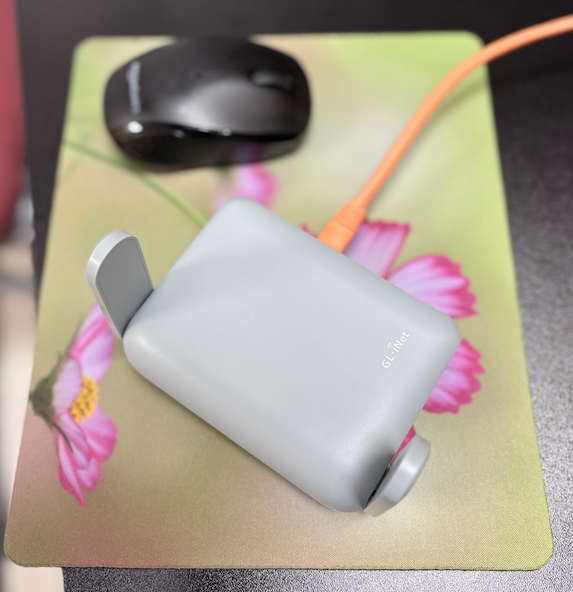
My personal experience — the things that sold me
- Convenience: I no longer configure VPN on each travel device. I plug the Beryl AX in, connect to it, toggle the WireGuard profile, and my phone/laptop behave like they're on the home LAN. That saved me time in airports and hotels.
- Security: Because the router encrypts traffic at the network edge, devices that can’t run a VPN themselves (smart TVs, some IoT gadgets) benefit immediately. It also reduces the exposure of management ports on public Wi-Fi.
- Performance: For my usual use (SSH, web UIs for Proxmox/Portainer, SFTP, a little streaming), WireGuard over the Beryl AX is snappy. Large file transfers are limited by the home server/encryption CPU and uplink speeds, not the router in most cases.
Tips & gotchas
- VPN speed varies: The 300/150 Mbps numbers are useful maxima — your mileage will vary based on your home server CPU, internet ISP speeds (especially uplink at home), and latency. If you need sustained multi-hundreds of Mbps, ensure your home server and uplink can handle it.
- Captive portals: In some hotels the portal requires browser interaction on the same network — use the router’s web UI to do the hotel login (or use its “repeater” / client mode features) so your client devices stay undisturbed.
- Backup access method: Keep a backup OpenVPN profile or SSH port forwarded in case WireGuard’s UDP path is blocked. The Beryl AX supports both, so you have options.
- Storage & extras: The USB-3 port is handy for mounting AdGuard Home or storing small backups; the router also supports many GL.iNet apps and packages if you want ad-blocking, Pi-Hole, or extra telemetry locally.
Amazon Link : https://sudeeps.com/bq9w
Official Link : https://sudeeps.com/yzs4
Final verdict
If you want a compact travel router that actually makes connecting back to a home lab straightforward and secure, Beryl AX is one of the best value options. It strikes a strong balance between portability and power: pocketable but capable of real VPN throughput and useful extras (USB, 2.5G WAN). For anyone who travels and needs reliable remote access to a home lab — developers, sysadmins, and tinkers — it’s worth a close look.